University Project . City of York Council . 2022-23

University Project . City of York Council . 2022-23

Designing a volunteering app with a team of 6

Designing a volunteering app with a team of 6

Designing a volunteering app with a team of 6

Overview

Overview

Design of an interactive system with a team of 6 to create a volunteering app for the City of York Council.

Roles & Responsibilities

Roles & Responsibilities

Research . Design . Usability Testing

Problem Statement

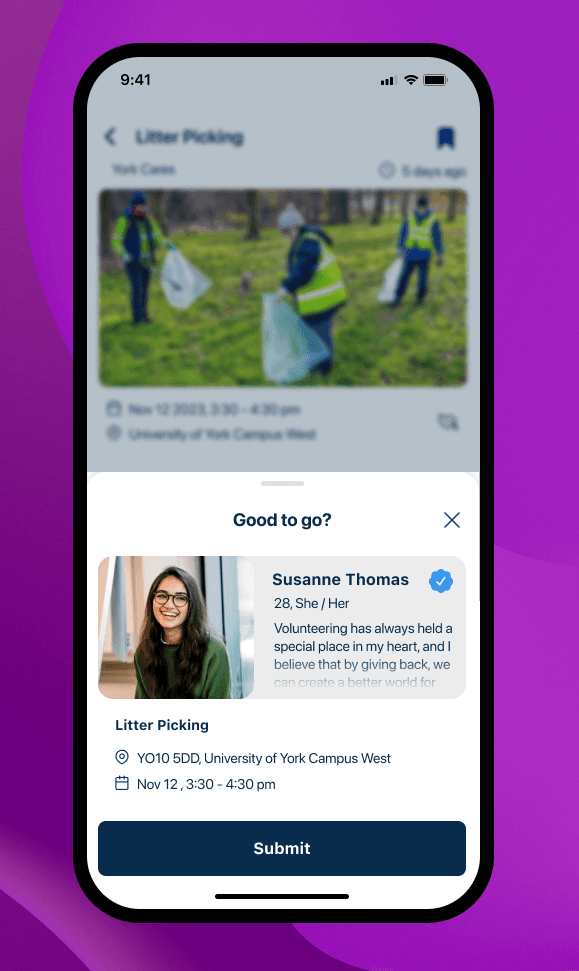
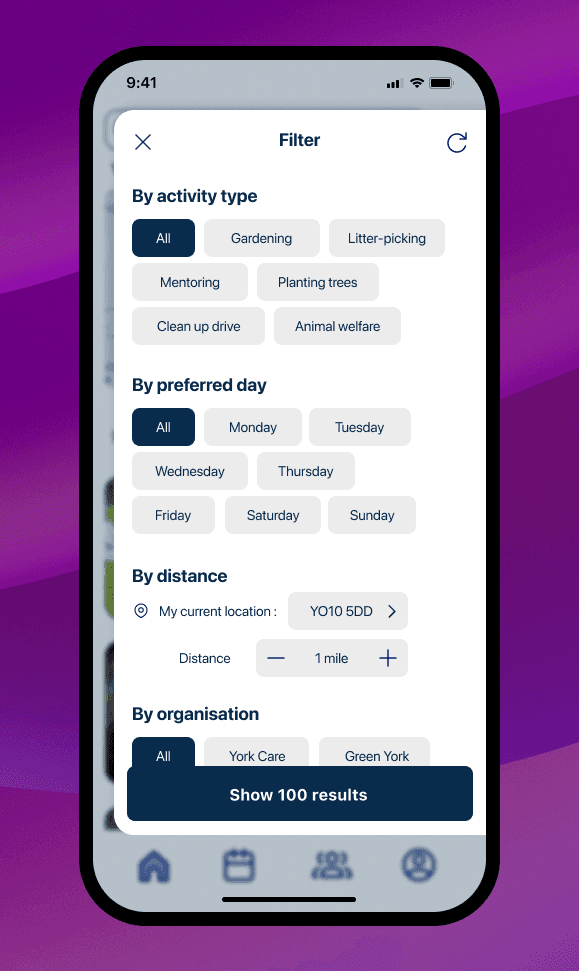
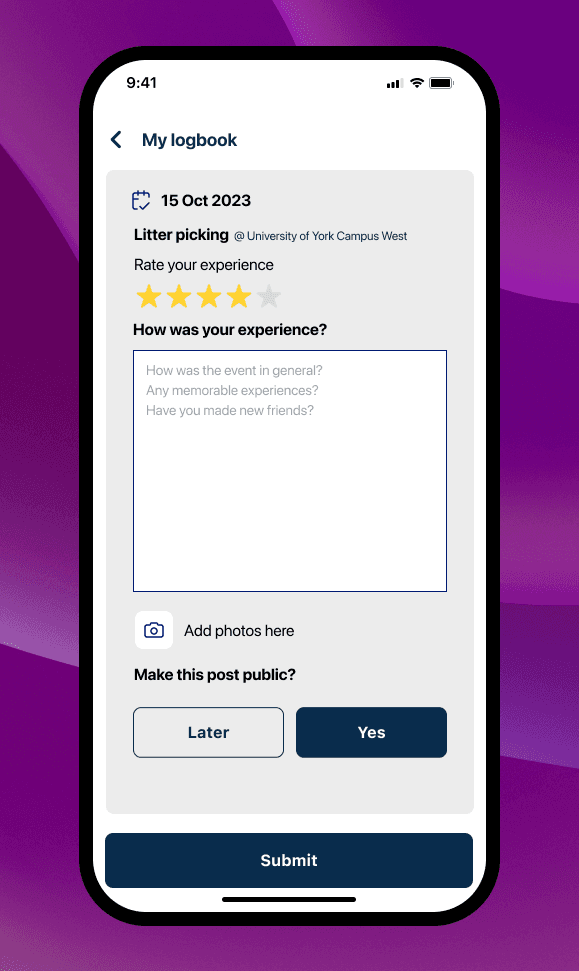
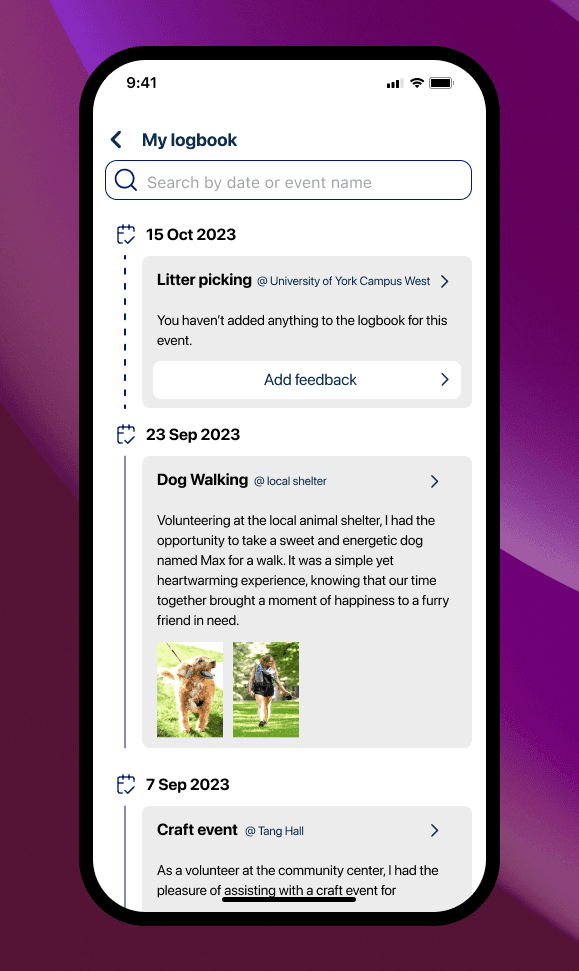
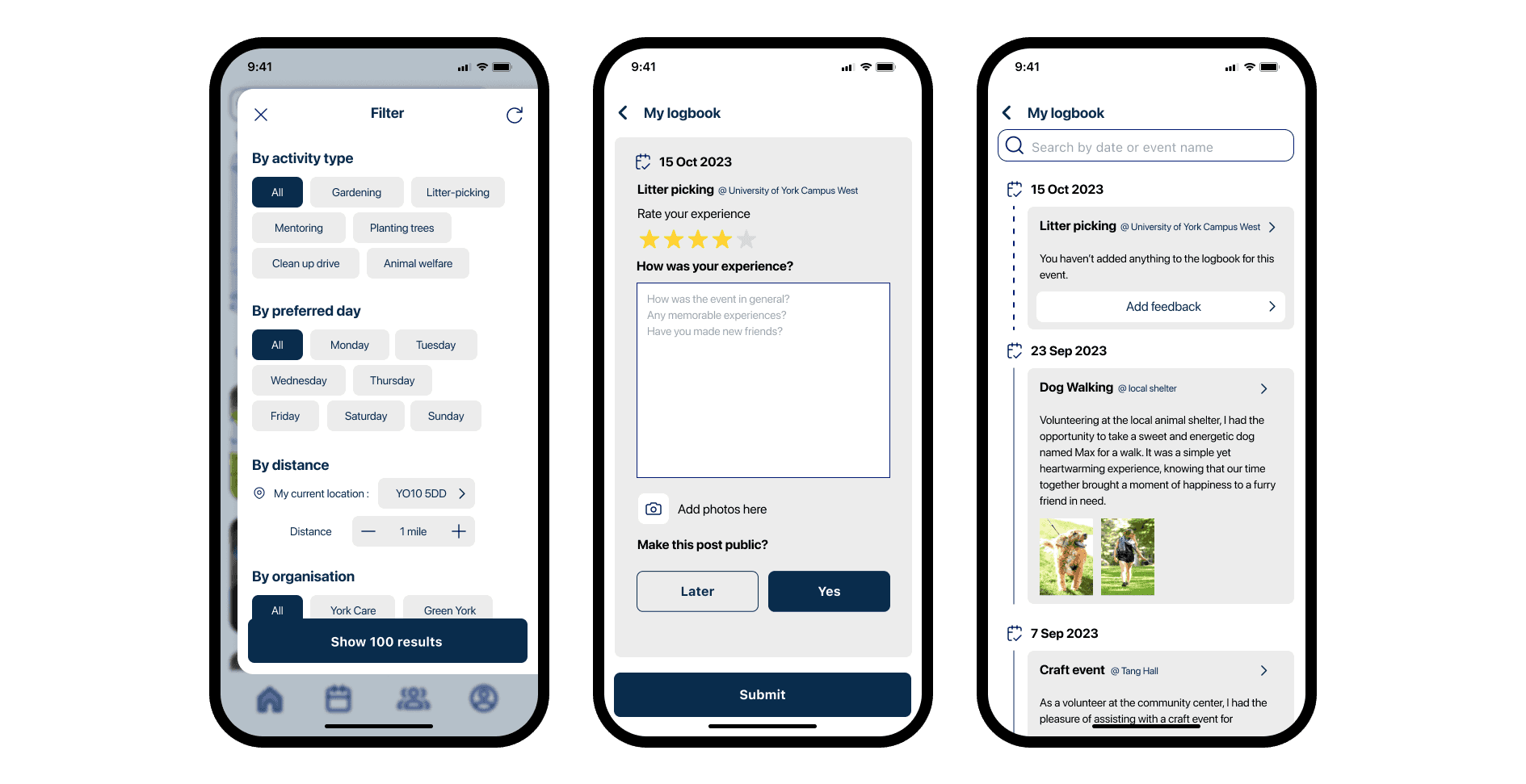
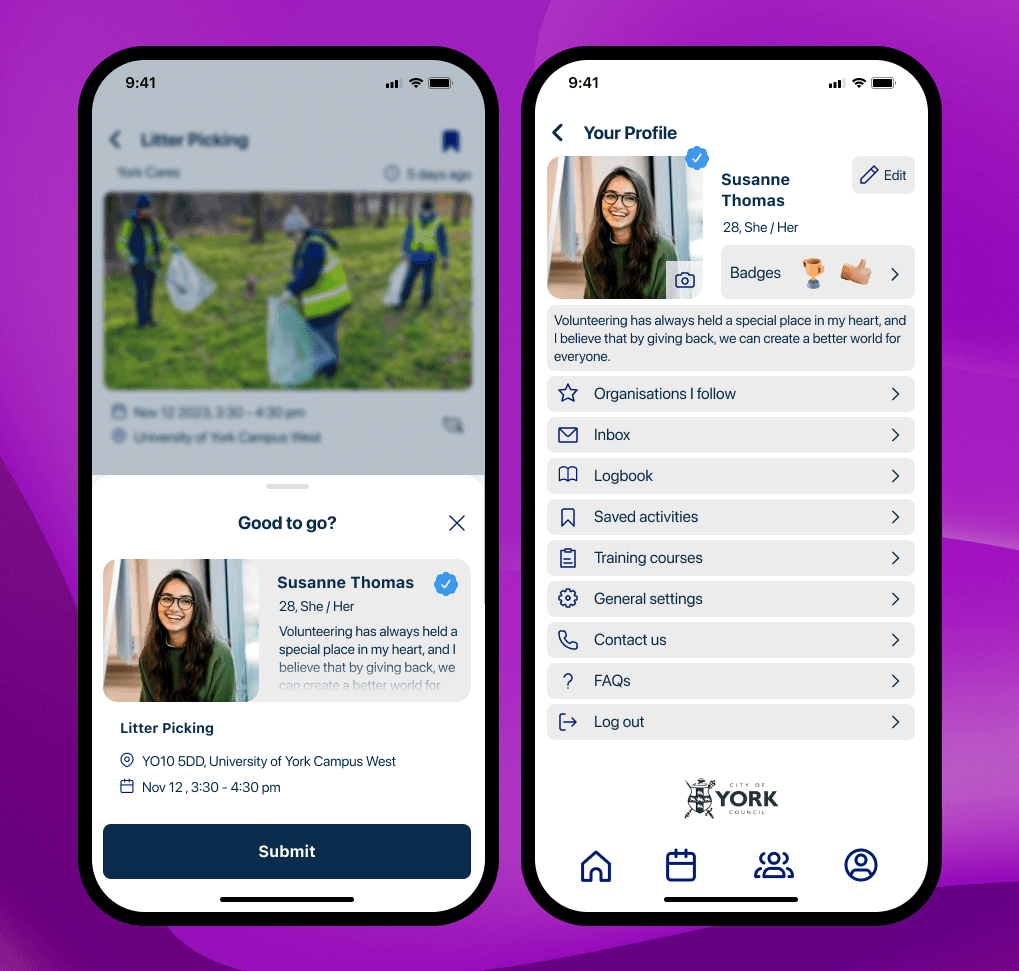
The ask was to create an app for residents of York with functionalities to discover a range of volunteering opportunities, select a time & date of the user's choosing and to allow users to keep a record of the opportunities they were involved in.

Approach

๐Ÿ” Discover & Research

Data gathered through questionnaires gave us insights into our user categories, user needs and pain points. The research was used as a foundation over which the rest of the app was designed.


โœ๏ธ Design, User-Testing & Iteration

A low-fidelity prototype was created after the initial wireframes. Usability testing with high-fidelity prototypes helped us to iterate and fix bottlenecks.

Approach

Approach

๐Ÿ” Research & Analysis. ๐Ÿ” Discovery. ๐Ÿ” User Personas & Journey Mapping. ๐Ÿ” Design ๐Ÿ” Usability Testing


Research & Analysis: Data gathered through questionnaires gave us insights into our user categories, user needs and pain points. This research was used as a foundation upon which the rest of the app was designed.


Competitive Analysis: Existing volunteering apps were studied (elaborate on this)


User Personas & Journey Mapping: 3 main categories of users were identified : volunteers, potential volunteers, and the organisers behind the volunteering organisations.


Design: A low-fidelity prototype was created after the initial wireframes. We developed a cohesive visual language, including colour schemes, typography, and iconography, ensuring consistency throughout the app. We also created a style guide to maintain design consistency in future updates.


Usability Testing: We conducted usability tests with a diverse group of users to validate the design and identify areas for improvement. Based on the feedback, we made necessary adjustments to the design.

๐Ÿ” Discover & Research

Data gathered through questionnaires gave us insights into our user categories, user needs and pain points. The research was used as a foundation over which the rest of the app was designed.


โœ๏ธ Design, User-Testing & Iteration

A low-fidelity prototype was created after the initial wireframes. Usability testing with high-fidelity prototypes helped us to iterate and fix bottlenecks.

Users & Audience

We considered three categories of users.

๐Ÿ‘ค Organisers

Organisers who recruit people for volunteer activities

โœ‹ Volunteers

participants with previous volunteering experience

โฉ Potential Users

People who were interested in volunteering

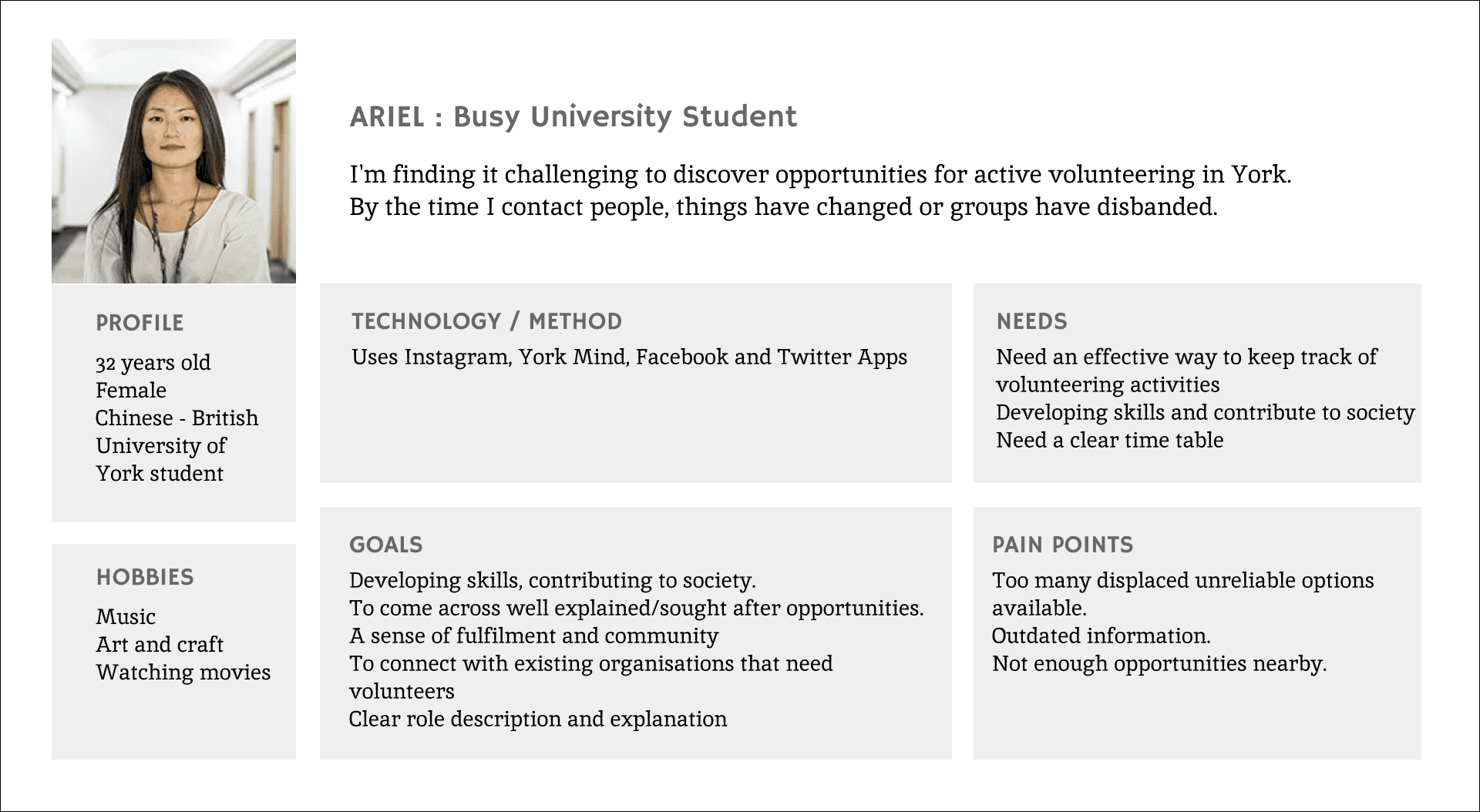
Ariel's user persona represent the app's primary audience,
which included both 'volunteers' and 'potential users.'
The User Journey Map

User Persona of the Organiser

Key Insights from
journey mapping

Key Insights from
journey mapping

  • Develop a platform that consolidates all available volunteering opportunities in one place, similar to a job search platform. Include options for users to save and organise opportunities of interest.

  • Integrate a mapping feature to display the locations of opportunities.

  • Add search filters that allow users to sort opportunities by type, language (e.g., gardening, helping the elderly) and duration of commitment (e.g., a day, a week, a month).

  • Implement a system for real-time updates to reflect changes in opportunities, such as adjustments in roles, schedules, or group status.


Brainstorming
solutions

Based on the understanding of the user's actions and feelings in the 4 different phases, the team started a brainstorming session helping explore the possibilities of how to address those problems and enhance the userโ€™s experience.

Wireframing and
Iterative Design

๐Ÿ” Wireframing

A low-fidelity prototype was created after the initial wireframes. We developed a cohesive visual language - including colour schemes, typography, and iconography - ensuring consistency throughout the app.


๐Ÿ“‹ Usability Testing

We conducted usability tests with a diverse group of users to validate our design and assumptions. Based on the feedback, we identified areas for improvement and made adjustments to the app design.

ยฉ Sharon Jacob 2025